 Cabinet
Practice records, in one place
Where records become trust.
Implant inventory and stock management for dental clinics.
One record, from receiving to placement.
A label photo becomes stock. Stock becomes an order. Orders become trust.
Available in your browser and on Android. Free during alpha testing. Pricing will be announced at launch.
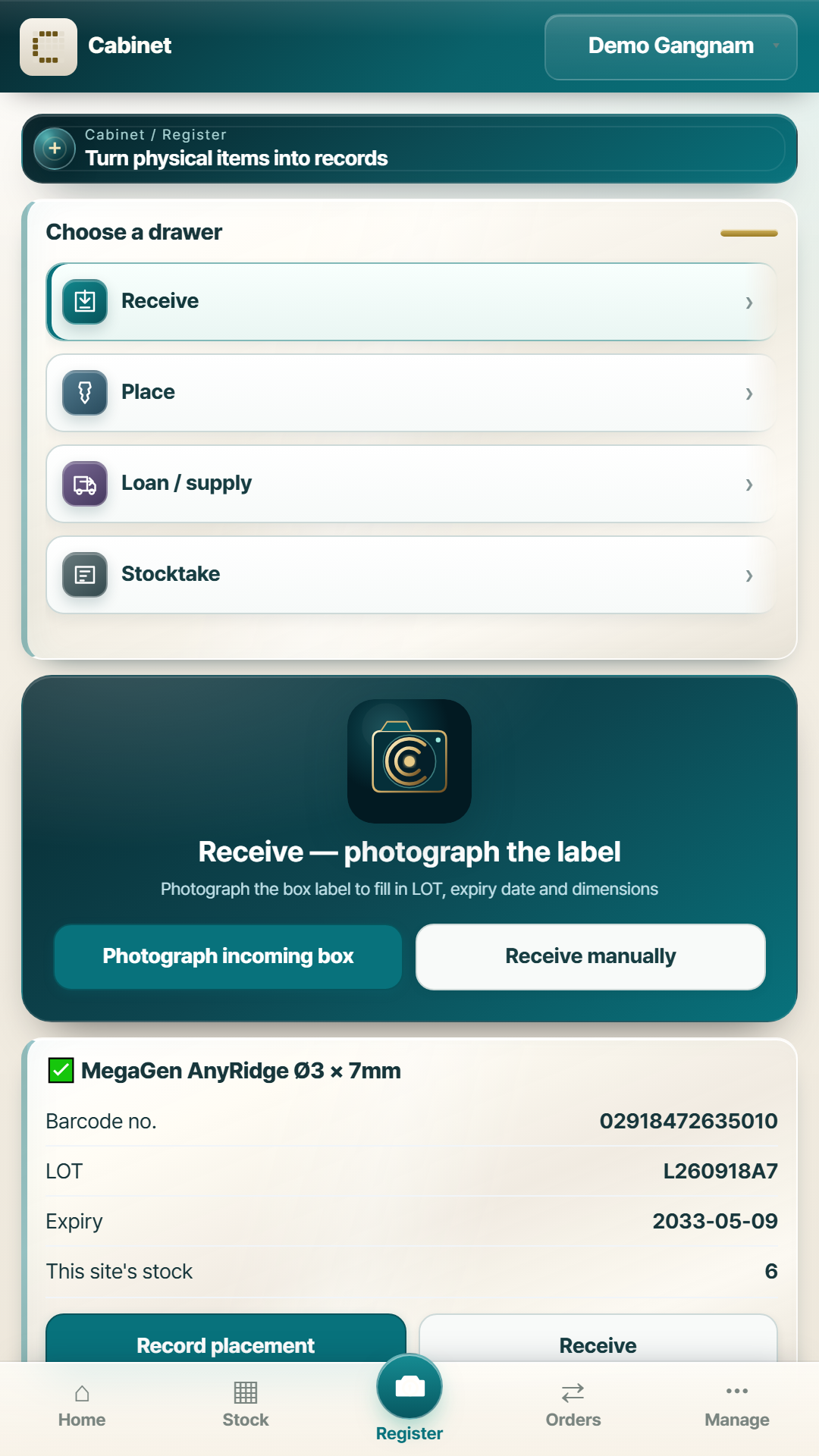
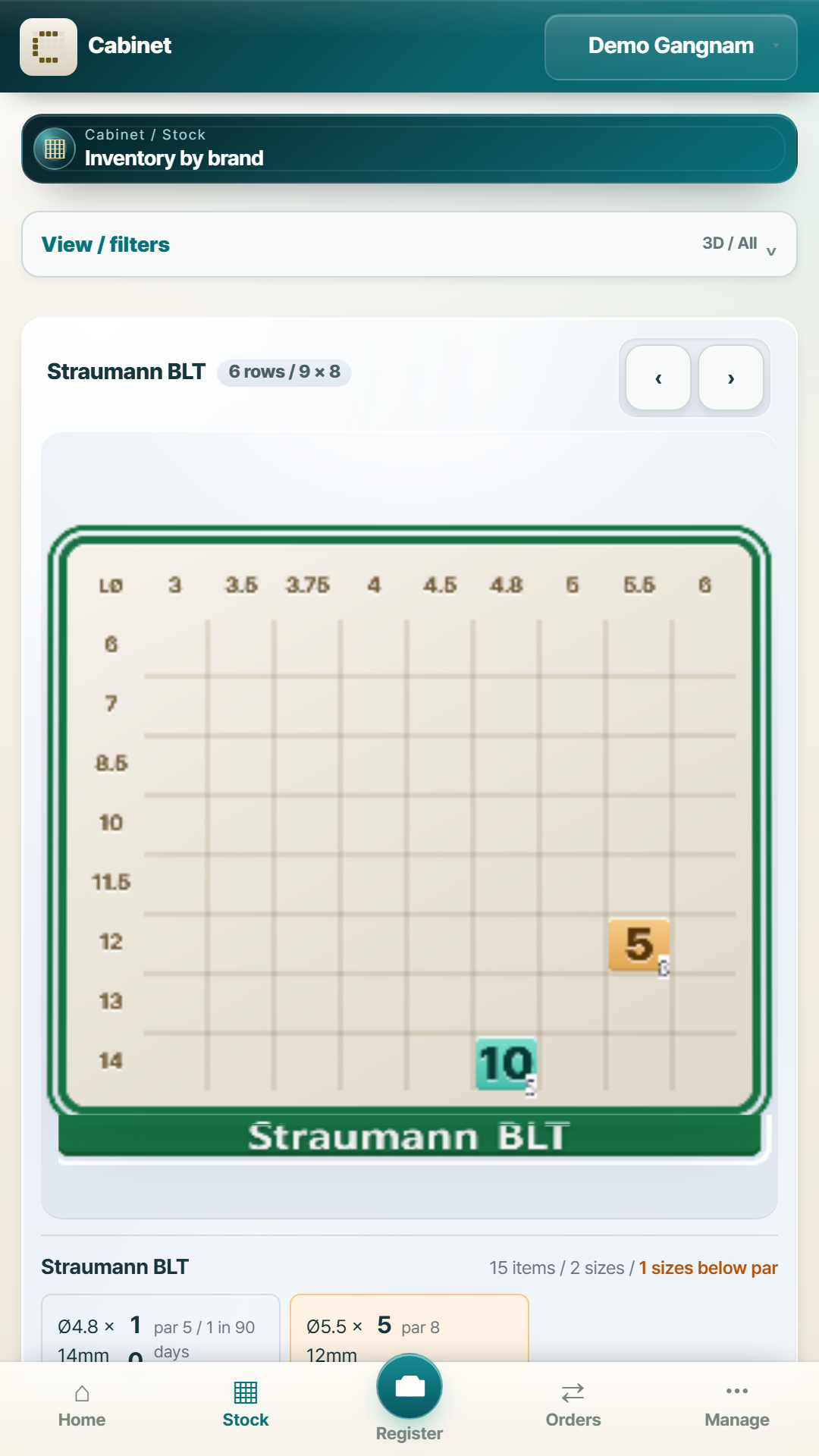
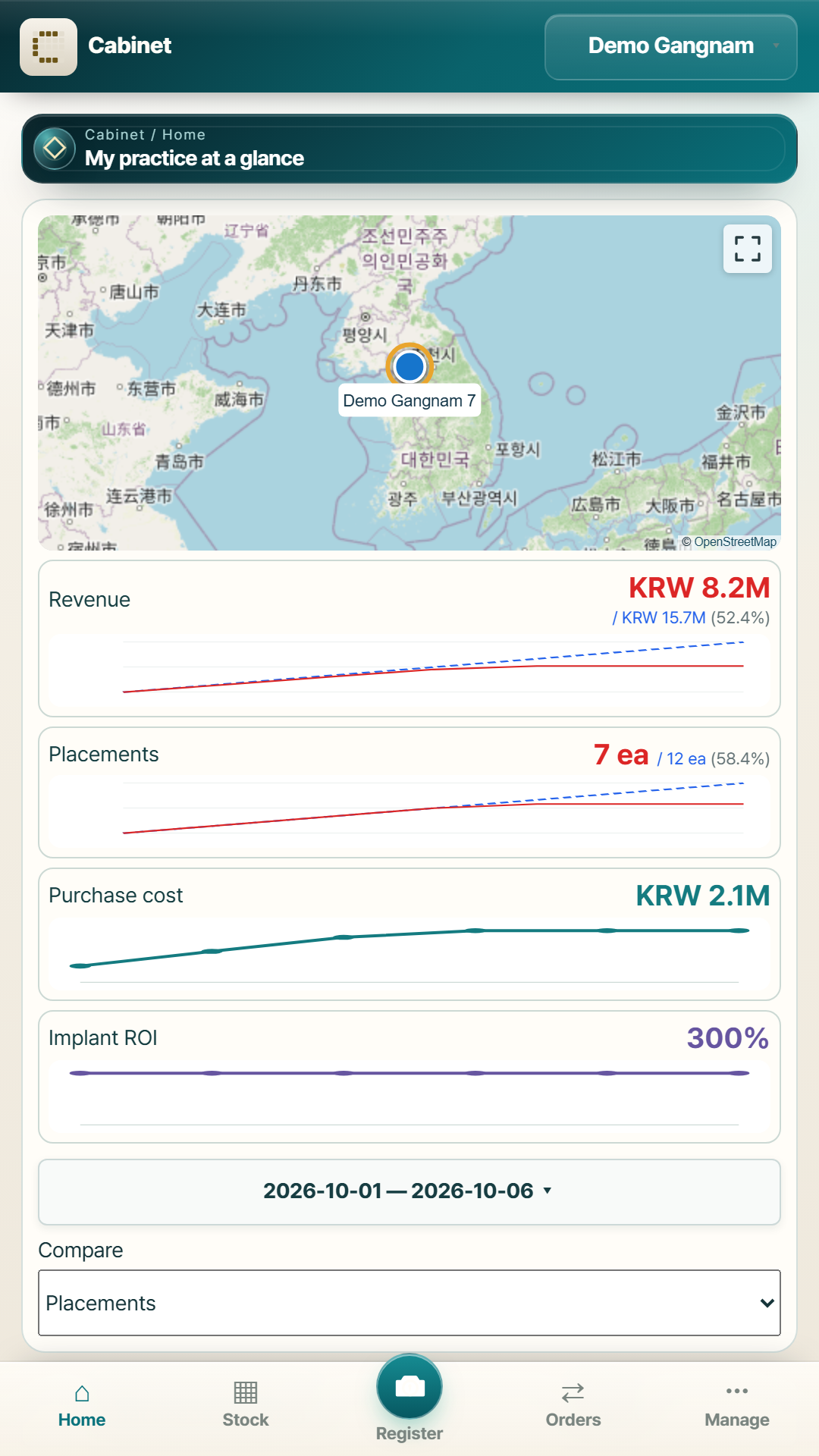
Actual app screens using demo records.
Why records matter
Precise care. Too much remembered outside the chair.
What is left in each drawer, why this package has this mix, why last month’s order was late.
The answer used to live in someone’s head. When they take a day off, the answer does too.
Cabinet turns those answers into records.
Records do not rest, forget or take sides.
Decisions outside the treatment room should be based on records, rather than instinct or relationships.
What Cabinet does
Three things, kept straight.
Know what you have
Every box on its own line — brand, system, size, lot, serial and expiry, and whether it is yours or on consignment.
- Stock by brand, then system, then size
- Lot and serial kept apart, so two identical boxes stay two
- Expiry and exchange windows counted for you
- Receiving, use, loans, supply-out and stocktake
Know where the practice stands
Assets, liabilities and the month's result on one page, with stock valued from the inventory ledger rather than typed twice.
- Balance sheet: assets, liabilities, net worth
- Equipment and fit-out with straight-line depreciation
- Profit and loss: revenue, fixed and variable costs
- Treatment ROI from the materials each treatment uses
Keep supplies moving
Cabinet watches par levels and exchange deadlines, drafts the order, and leaves the sending to you.
- What is below par, what expires soon, what can still be exchanged
- Suggested quantities from your own usage
- An order message you review, then send however you already do
- Purchase, exchange, return and quote in one place
A two-minute product story
From a box on the shelf to a practice you can understand.
Play the guided walkthrough or choose a chapter. It follows the full Cabinet workflow, from receiving stock to running a growing group.
Receive stock from a label
Photograph or scan a product label, check the lot and expiry, then add the box to stock.
Dental practice finance
Where the practice actually stands.
A practice is a business with a large amount of capital sitting in chairs, fit-out and stock. Cabinet keeps that in one ledger you control, alongside the month's revenue and costs.
- Assets — cash accounts, equipment, fit-out and anything else you add. Each item carries its purchase price, date, quantity, useful life and salvage value.
- Depreciation — straight-line, calculated monthly. Cabinet suggests a useful life common in your country and records what that suggestion was based on. You can change it. It is a starting point, not a tax filing figure.
- Book value and market value stay apart — the depreciated figure is the result of a rule; the market value is what you typed. Mixing them makes both useless.
- Liabilities — loans and instalments with balance, monthly payment, optional rate, and an end date. Finished debts drop out of the balance sheet on their own.
- Recurring costs — rent, utilities, payroll and anything you name, monthly, yearly or one-off, with a start and an optional end. Payroll can carry a staff name, and that is optional.
- Treatment ROI — revenue, material cost and contribution per treatment. Materials linked to stock use the real lot cost. Payroll is excluded by default, because every practice divides people's time differently.
Different currencies are shown separately. Cabinet will not add amounts in two currencies together without a rate you have given it.
Dental inventory management
Every box accounted for.
Implants, abutments and consumables carry lot numbers and expiry dates for a reason. Cabinet keeps them at the level the box is actually identified by.
The 3D size cabinet opens first
Every stocked brand is layered in one diameter-by-length view, so a similar size in another system is visible when time matters. One View / filters control holds stock status, product scope, sorting, par-level setup and order suggestions.
Registering a box
Photograph the label and Cabinet reads the GS1 barcode — GTIN, lot, expiry and the serial that separates two otherwise identical boxes. Nothing read is saved until you have checked it.
On Android, the text on the label is read on the device itself and the photograph does not leave the phone to be read. In a browser there is no on-device reader: scan the barcode or type the values in. Browser use does not send a label to an external AI reader: scan the barcode or type the values, then check them before saving.
What you can record
- Receiving, with the real receipt date
- Use and placement, with tooth number if you want it
- Loans and supply-out to another practice, recipient optional
- Stocktake — count the shelf, and the book follows
Expiry and exchange
Cabinet counts the days for you: what expires within six months, and what is still inside the supplier's exchange window. You set the window to match what your supplier actually agreed.
Implant placement record
Recording a fixture placement issues a certificate — product, lot, tooth, date and your clinic, with a QR code and a printable page. The code opens the stored record while it is retained.
It carries no patient name.
Practices, groups and suppliers
Nothing leaves without your say.
A group or a purchasing organisation can ask to see a practice's stock. Asking is all they can do. Until the practice approves a specific scope, the server refuses the request — hiding a button is not access control.
Your practice
Staff get the permissions you give them, item by item — receiving, use, adjustments, ordering, and whether they see prices at all.
Groups and DSOs
A group requests a link. Each practice approves or refuses each scope separately: view stock, view usage, draft orders, send orders, receive. Every decision is recorded, and any of them can be revoked.
Supplier contacts
Save who your orders go to and which brands they carry. Sharing your stock with them is off until you switch it on, and then only for the brands you name.
Financial records and loan or supply history are not covered by any sharing scope. They stay inside the practice.
Privacy and trust
What we hold, and what we refuse to hold.
Cabinet needs to know about materials, money and orders — not about patients. Here is where that line sits.
The full policy — what is stored, who can see it, how long it is kept — is on the privacy page.
Questions
Before you start.
Who is Cabinet for?
How do I start?
Who can see my financial data?
Does it work on a phone?
Is it only inventory?
What does it cost?
Early access
Give the evenings back.
Open Cabinet, add what is on the shelf, and see where the practice stands. It takes minutes, and the app is empty until you fill it.
No credit card, no setup call. Free during alpha testing.